
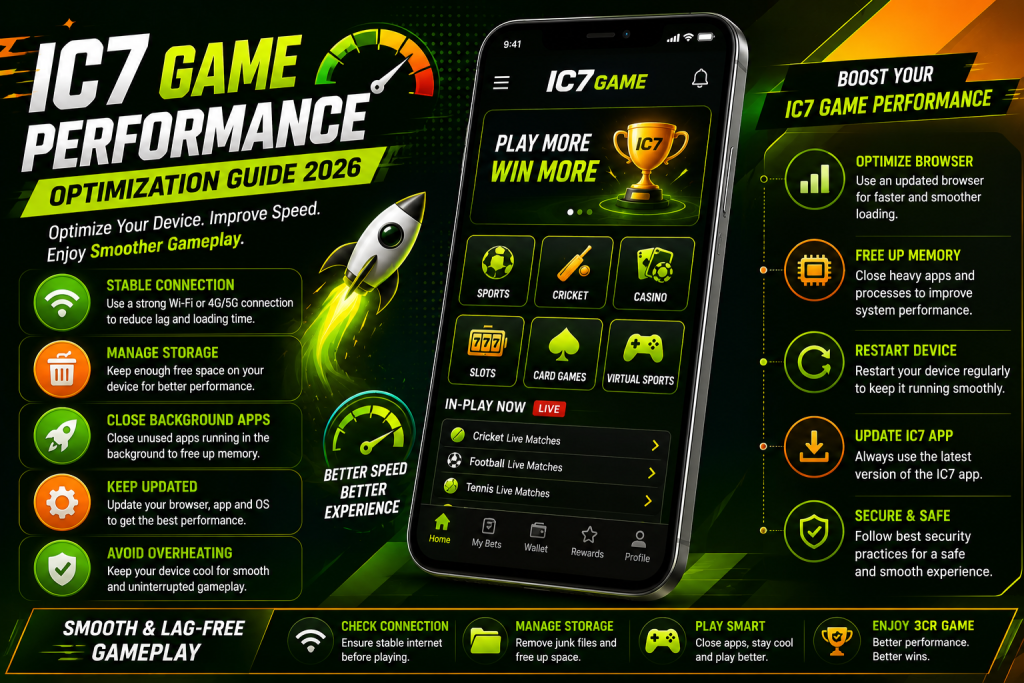
A smooth gaming experience depends on more than the game itself. Your phone or computer, internet connection, available storage, browser, and background applications can all influence how quickly a gaming platform responds.
If you use IC7 Game regularly, optimizing your device can help reduce unnecessary slowdowns and make everyday gameplay more consistent.
This guide focuses on performance rather than basic troubleshooting. It covers practical ways to prepare your device, manage resources, improve connection stability, and maintain better performance over time.
What Affects IC7 Game Performance?
Several factors can influence how smoothly IC7 Game runs.
The most common include:
- Internet connection quality
- Available device storage
- Background applications
- Browser performance
- Operating-system version
- Application version
- Device temperature
- Available memory
A slow experience does not always mean there is a problem with IC7 itself. Checking these factors first can help identify where the performance bottleneck is coming from.
Start With Your Internet Connection
Online gaming platforms depend on a stable connection.
If pages take a long time to load or actions appear delayed, test your connection before changing device settings.
Try switching between Wi-Fi and mobile data to compare performance.
You can also:
- Move closer to your Wi-Fi router.
- Restart the router when necessary.
- Close applications using large amounts of bandwidth.
- Avoid downloading large files while gaming.
- Test another website to check whether your connection is generally slow.
A stable connection is particularly important when using features that require frequent communication with the platform.
Keep Enough Free Storage
A nearly full device can experience broader performance problems.
Check your storage settings and remove files that you no longer need.
Large videos, old downloads, duplicate images, and unused applications can consume considerable space over time.
Keeping reasonable free space available gives your device room for temporary files and normal system operations.
Manage Background Applications
Running many applications simultaneously can consume memory and processing resources.
Before starting a gaming session, close applications that you are not using, particularly resource-intensive apps.
You do not need to force-close every application on your phone. Focus on programs that are actively consuming significant resources.
This is especially useful on older devices with limited memory.
Keep Your Browser Updated
If you access IC7 through a browser, browser performance can affect the experience.
An outdated browser may have compatibility problems with newer website technologies.
Check your browser’s update section regularly and install appropriate updates.
If the platform behaves differently between browsers, test another current browser to determine whether the issue is browser-specific.
Clear Temporary Browser Data
Browsers store temporary files to make websites load faster.
However, cached information can occasionally become outdated.
If IC7 pages display incorrectly or certain elements do not respond as expected, clearing temporary browser data may help.
The exact steps depend on your browser.
Be careful when clearing browsing data because some options can also remove saved sessions, preferences, or other information.
Keep Your Device Updated
Operating-system updates can improve compatibility, stability, and security.
Check your device periodically for available system updates.
Keeping the operating system reasonably current can help applications and modern websites work more reliably.
Before performing a major update, make sure important personal data is backed up where appropriate.
Avoid Overheating
Device temperature can have a direct effect on performance.
When a smartphone becomes very hot, the system may reduce processing performance to protect the hardware.
During longer gaming sessions:
- Keep the device away from direct sunlight.
- Avoid covering ventilation areas.
- Close unnecessary background applications.
- Allow the device to cool if it becomes unusually hot.
- Avoid intensive use while the device is already overheating.
Never place a hot electronic device in a refrigerator or freezer to cool it down.
Optimize Your Gaming Environment
Small environmental changes can make mobile gaming more comfortable.
Consider:
- Using a stable internet connection.
- Keeping your device charged adequately.
- Closing unnecessary applications.
- Maintaining sufficient storage.
- Keeping the screen and device free from excessive heat.
- Using a comfortable display brightness.
These steps do not necessarily increase the game’s technical performance, but they can contribute to a more consistent overall experience.
IC7 Game Performance on Older Devices
Older smartphones can still provide a usable experience, but their hardware may have limitations.
If you are using an older device, prioritize basic optimization.
Remove applications you no longer use, maintain free storage, keep the operating system updated where supported, and avoid running multiple demanding applications simultaneously.
If the device consistently struggles with modern websites or applications, the limitation may be hardware-related rather than something that can be fixed through settings.
Improve Loading Speed
If IC7 takes longer than expected to load, use a simple optimization sequence.
1. Test Your Connection
Check whether other websites load normally.
2. Close Unnecessary Apps
Free resources that are being used by applications running in the background.
3. Check Storage
Make sure the device is not almost full.
4. Update Your Browser
Use a current supported browser.
5. Clear Temporary Cache
If cached data appears to be causing problems, clear it through your browser settings.
6. Restart Your Device
A restart can refresh temporary system processes.
IC7 Game App Performance
If you use an IC7-related mobile application, keep it updated through the appropriate distribution source.
If an application becomes slower over time, check:
- Available storage
- Application version
- Device temperature
- Operating-system version
- Background applications
- Internet connection
Avoid installing modified versions that promise unrealistic performance improvements.
Unknown application files can introduce security and compatibility risks.
Does Clearing Cache Improve Performance?
Clearing cache can sometimes help with specific problems, but it is not a guaranteed performance booster.
Temporary files are often recreated after they are removed.
Therefore, there is no need to clear cache repeatedly when everything is already working normally.
Use cache clearing as a troubleshooting or maintenance step when there is a clear reason to do so.
IC7 Game Performance and Network Stability
A fast internet connection is useful, but stability is equally important.
A connection that repeatedly drops can be more disruptive than one with slightly lower speed but consistent performance.
If possible, compare Wi-Fi and mobile data.
If one connection works noticeably better, the issue may be related to the network rather than your device.
Avoid switching networks repeatedly during an active session unless necessary.
Create a Simple Performance Routine
You do not need to optimize your device every day.
A simple maintenance routine is enough.
Weekly
- Check available storage.
- Remove unnecessary downloads.
- Close unused browser tabs.
- Review application updates.
Monthly
- Review large files.
- Remove unused applications.
- Check operating-system updates.
- Review browser performance.
When Performance Drops
- Test your internet.
- Restart the device.
- Check storage.
- Check device temperature.
- Update the browser or application.
- Clear temporary cache when appropriate.
Common Performance Mistakes
Some users try aggressive solutions when simple maintenance would be enough.
Avoid:
- Installing unknown performance booster applications
- Using modified game files
- Deleting system folders
- Disabling security features
- Installing unofficial application versions
- Repeatedly clearing application data
- Continuing to use a device that is overheating
Performance optimization should not compromise device or account security.
How to Know If the Problem Is Device-Related
A useful test is to compare the platform on another device.
If IC7 performs normally on another device using the same connection, the original device may be responsible.
If the same issue appears on multiple devices and networks, the problem may be temporary or platform-related.
This simple comparison can prevent unnecessary changes to your phone.
IC7 Game Performance Checklist
Use this checklist when you want to keep your device ready for gaming:
- Maintain sufficient free storage.
- Use a stable internet connection.
- Keep your browser updated.
- Keep the operating system updated where supported.
- Close unnecessary resource-heavy applications.
- Avoid overheating the device.
- Clear temporary cache when necessary.
- Remove unused applications and files.
- Use recognized application sources.
- Restart the device when performance problems appear.
Frequently Asked Questions
How can I improve IC7 Game performance?
Start by checking your internet connection, storage, background applications, browser version, and device temperature. These factors can significantly affect the overall experience.
Why is IC7 Game loading slowly?
Slow loading can be caused by an unstable connection, limited storage, browser problems, background applications, or temporary service-side issues.
Should I clear cache regularly?
No. Cache does not normally need to be cleared on a fixed schedule. Clear it when troubleshooting a specific problem or when temporary files have become excessive.
Can an old phone affect IC7 Game performance?
Yes. Older hardware may have less memory and processing capacity, which can affect modern websites and applications.
Does better internet always mean better performance?
Not necessarily. Connection stability is also important. Frequent disconnections can cause problems even when the connection has high download speed.
How can I reduce overheating while gaming?
Keep the device away from direct sunlight, close unnecessary applications, avoid intensive use while charging when the device becomes hot, and allow it to cool naturally when necessary.
Final Thoughts
Good performance starts with good device maintenance. Keeping enough storage available, using a stable connection, updating your browser and operating system, and controlling background activity can help create a smoother IC7 Game experience.
If performance problems continue after these steps, compare the platform on another device or network. This can help determine whether the issue comes from your device, connection, or the platform itself.
For the safest experience, use recognized application sources and avoid modified files or unknown performance tools. A well-maintained device is usually the best foundation for consistent mobile gaming.