
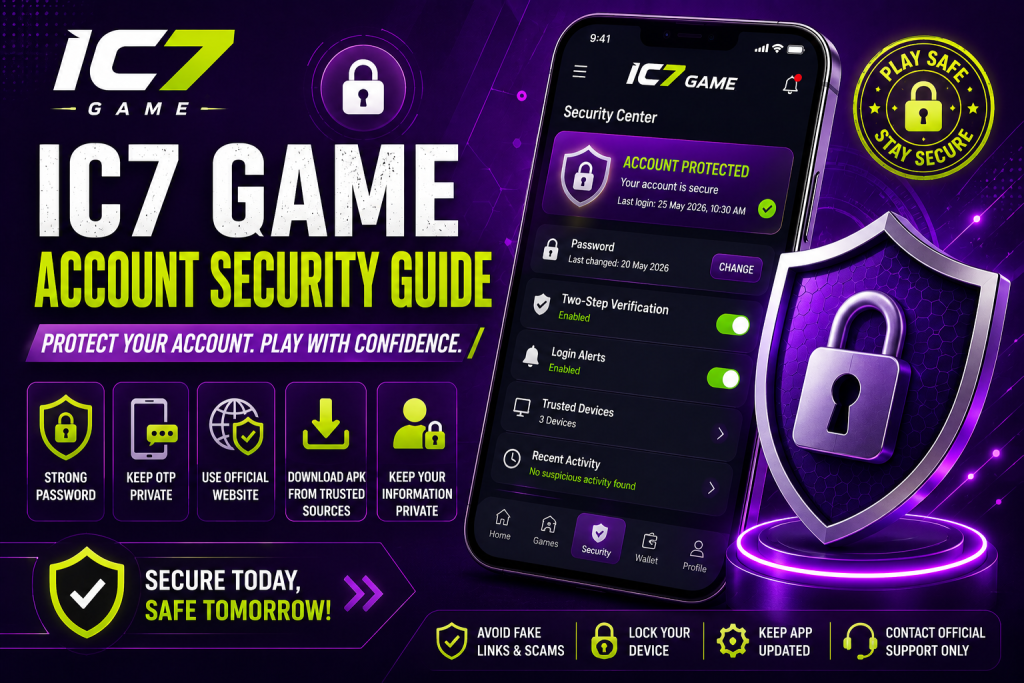
Account security is an important part of using any online gaming platform. A strong password, careful login habits, and safe downloads can help reduce common security risks. This IC7 Game Account Security guide explains practical steps you can follow to keep your account information protected in 2026.
Whether you access IC7 from a phone, tablet, or computer, the same basic security principles apply. Most importantly, avoid sharing private credentials and use trusted sources when accessing your account.
Why IC7 Game Account Security Matters
Your gaming account can contain personal information, login credentials, account activity, and other details. If someone gains unauthorized access, they may be able to make changes to the account or access information that should remain private.
Good security habits can reduce these risks.
Instead of waiting until something goes wrong, it is better to build safe habits from the beginning. Strong credentials, careful downloads, and regular account checks can all contribute to better protection.
Create a Strong IC7 Game Password
Your password is one of the first security controls protecting your account.
Avoid simple passwords based on your name, birthday, phone number, or commonly used words. Instead, create a password that is difficult for other people to guess.
A strong password should ideally:
- Be unique to your IC7 account
- Use a combination of letters and numbers
- Include special characters when supported
- Avoid easily guessed personal information
- Not be reused across multiple websites
Using a different password for important accounts can also limit the damage if another website experiences a security problem.
Never Share Your Login Credentials
Your IC7 login details should remain private.
Do not give your username, password, OTP, PIN, or other confidential information to friends, strangers, social-media accounts, or unofficial support contacts.
Someone claiming to be a platform representative should not need your private password.
If you receive a message asking for sensitive login information, verify the request through an official support channel before taking any action.
Use the Official IC7 Website
One of the simplest ways to improve account security is to make sure you are using the correct website.
Search results, advertisements, social-media posts, and messages can sometimes lead users to websites that look similar to the original platform.
Before entering your credentials, carefully check the website address.
Look for:
- The correct domain name
- A secure HTTPS connection
- Consistent branding
- Normal account pages
- No unusual requests for private information
If a website looks suspicious or asks for unnecessary credentials, close the page rather than entering your information.
Be Careful With IC7 APK Files
Android users should pay particular attention to APK downloads.
Avoid downloading an IC7 APK from unknown file-sharing websites, random social-media links, or unofficial pages that have modified the application.
Modified APK files can potentially contain unwanted software or make unauthorized changes to the application.
Before installing any APK, consider:
- Where the file came from
- Whether the source is trustworthy
- Whether the file has been modified
- Whether your device security tools identify a problem
- Whether the download matches the official version
Using trusted sources is safer than installing an APK simply because a third-party website promises extra features.
Keep Your Device Secure
IC7 Game Account Security also depends on the device you use to access your account.
Keep your smartphone, tablet, or computer updated with the latest available security updates. Updates can address known vulnerabilities and improve overall device protection.
You should also use a screen lock such as:
- PIN
- Password
- Fingerprint
- Face authentication
A screen lock can help prevent another person from opening your applications if your device is lost or left unattended.
Avoid Login Details on Shared Devices
Be cautious when signing into your IC7 account on computers or phones that belong to other people.
Shared devices may save passwords, browsing sessions, or other information.
If you must use a shared device, avoid saving your login credentials. After finishing, sign out completely and clear any saved account information where appropriate.
For important accounts, using your own trusted device is generally preferable.
Watch Out for Fake IC7 Messages
Phishing is a common online security problem.
A fake message may claim that your account has an issue and ask you to click a link, verify information, or provide your password.
Some messages can appear convincing because they use familiar branding or urgent language.
Before clicking a link, check the sender and destination carefully.
Be particularly cautious if a message:
- Creates unnecessary urgency
- Requests your password
- Requests an OTP
- Promises unusual rewards
- Contains a suspicious link
- Asks you to download an unknown file
- Claims your account will immediately be closed
When in doubt, open the official website directly instead of following the message link.
Do Not Share OTPs
An OTP should be treated as private information.
If your account uses one-time verification codes, never send the code to another person. Legitimate security processes generally do not require you to reveal a private OTP to someone contacting you through an unofficial channel.
If you receive an unexpected OTP, do not share it. Instead, check your account and consider changing your password if you suspect someone is attempting to access your account.
Check Your Account Activity
Regular account checks can help you identify unusual activity.
If your account provides activity or transaction records, review them occasionally. Look for unfamiliar logins, changes to account information, or transactions you do not recognize.
If something appears unusual, investigate it promptly.
Keeping your account information organized can also make it easier to identify changes that you did not make yourself.
What to Do If You Suspect Unauthorized Access
If you think someone may have accessed your IC7 account, act quickly.
Change Your Password
Start by changing your password to a new, unique password.
Do not reuse the password that may have been compromised.
Sign Out of Other Sessions
If the platform provides an option to sign out of active sessions or devices, use it when appropriate.
This can help prevent someone from continuing to access an account through an existing session.
Check Account Information
Review your profile and account settings for unexpected changes.
Pay attention to information such as email addresses, phone numbers, and other account details.
Review Recent Activity
Check available activity or transaction records for anything you do not recognize.
Contact Official Support
If you cannot secure the account yourself, use the platform’s official support channel.
Avoid contacting random social-media accounts that claim to provide account recovery services.
Common IC7 Security Mistakes to Avoid
Even simple mistakes can weaken account security.
Here are some habits worth avoiding:
Using the Same Password Everywhere
If the same password is used on several websites and one account is compromised, other accounts may also become vulnerable.
Downloading Random APK Files
An unknown APK can introduce unnecessary security risks.
Sharing OTPs
Never share verification codes with another person.
Saving Passwords on Public Devices
Avoid storing credentials on computers or phones that you do not control.
Clicking Unknown Links
A suspicious link can lead to a fake login page or an unsafe download.
Ignoring Security Warnings
If your browser or device warns you about a website or file, stop and investigate before continuing.
IC7 Game Security Checklist
Before signing into your account, use this quick checklist:
- Check the website address.
- Use a strong and unique password.
- Keep your device updated.
- Avoid unknown APK sources.
- Never share your password or OTP.
- Be careful with unexpected messages.
- Avoid suspicious links.
- Review unusual account activity.
- Sign out from shared devices.
- Contact official support for account problems.
Following these simple steps can significantly improve your overall account-security habits.
Frequently Asked Questions
How can I improve IC7 Game Account Security?
Use a strong unique password, protect your OTP, avoid suspicious links and APK files, keep your device updated, and access your account through trusted sources.
Should I share my IC7 password with support?
No. Keep your password private. If you need assistance, use the platform’s official support process without revealing confidential credentials.
Is it safe to download an IC7 APK from any website?
You should avoid random or modified APK files. Use trusted and official sources whenever an application download is required.
What should I do if I receive an unexpected OTP?
Do not share the OTP. If you did not request it, check your account and consider changing your password if you suspect an unauthorized login attempt.
How do I know if an IC7 website is legitimate?
Check the exact domain name, HTTPS connection, page quality, and source of the link. Avoid entering credentials on suspicious websites or pages reached through unknown messages.
What should I do if someone accessed my account?
Change your password immediately, review account information and activity, sign out of other sessions if available, and contact official support if necessary.
Final Thoughts
Good IC7 Game Account Security starts with simple habits. Protect your password, keep OTPs private, avoid suspicious links, and be careful when downloading applications.
You should also keep your device updated and regularly review your account for unexpected changes. These steps can help reduce common security risks while giving you greater control over your account.
For the safest experience, always rely on trusted IC7 resources and official support channels when managing your account.